
Introduction
To begin video editing is not easy.
For me, it took me no time at all after I created my first video for realizing that choosing a proper video editing software would prove just as important as making interesting videos themselves. There was a wide array of video editors that had plenty of features and there were some video editors that were rather user-friendly.
The main advantage of video editing software in 2026 is that it has become significantly user-friendly.
It does not take you weeks and months to learn complicated software for editing your videos for YouTube, TikTok, Instagram Reels, movies, and more.
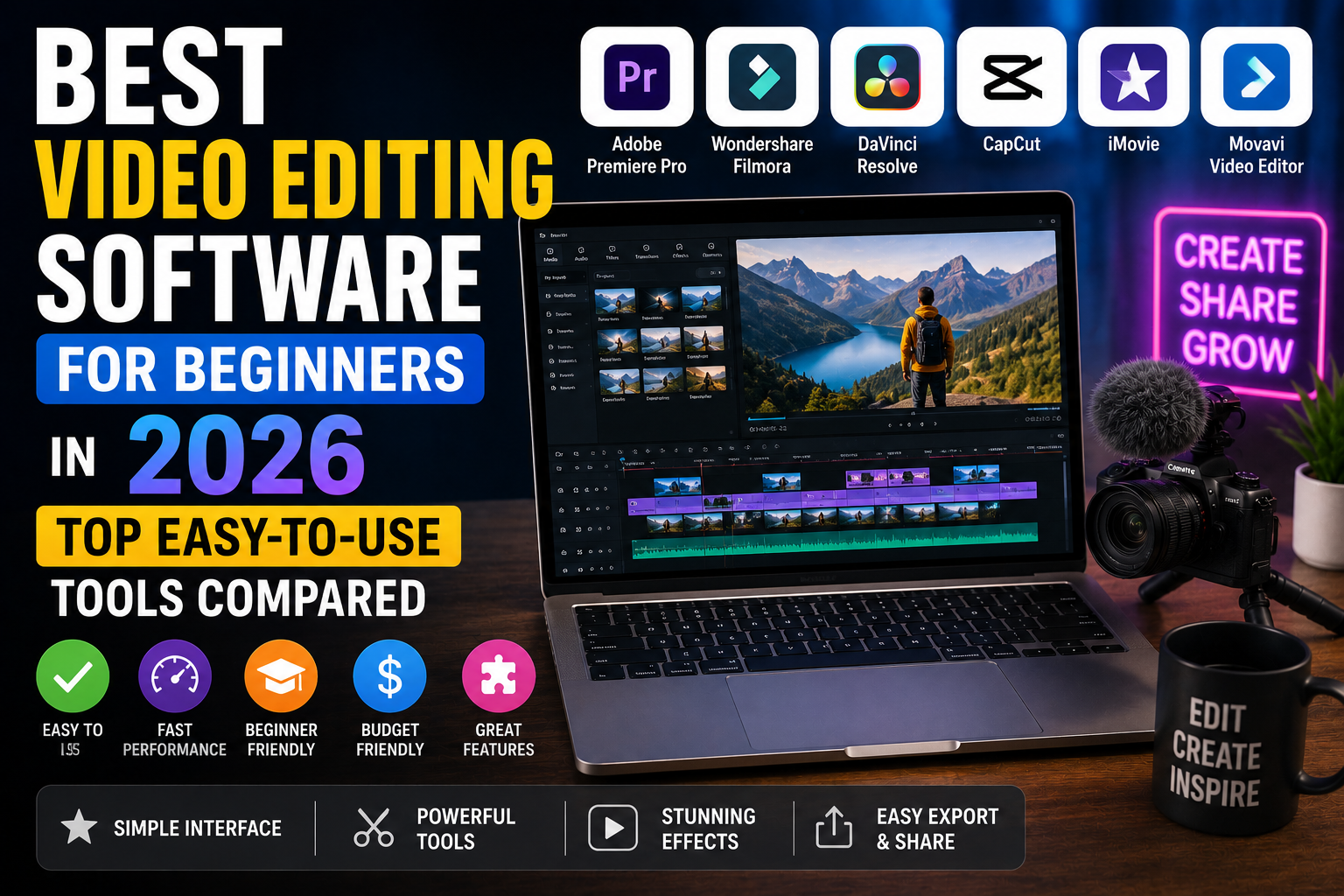
In this article, I will be reviewing the best video editing software for beginners for 2026.
The Importance of Choosing the Right Video Editing Software
One mistake many beginners make is directly downloading editing software.
Advanced software can be quite difficult to use because of its learning curve.
It is advisable to start out with software that is user-friendly with all the basic editing capabilities.
With the right software, you can:
Edit your videos quickly
Master the basics of video editing
Make your videos look professional
Save yourself a lot of frustration
Gain confidence as an artist
You can then concentrate on telling your stories.
Things to Consider When Looking for Video Editing Software for Beginners
There are some things you should take into consideration when selecting your software.
Ease of Use
An easy interface will make learning the program much easier.
Presets and Templates
Presets and templates included with the software can be handy.
Performance
The software should perform well on your machine.
Quality of Exported Files
High-quality exported files are necessary for posting online.
Free Features vs Paid Features
Most beginners don’t need anything fancy at first.
Best Video Editing Software for Beginners in 2026
CapCut
CapCut remains one of the most popular video editing tools for beginners.
I often recommend it because it combines simplicity with powerful features.
Best For
Short-form content creators.
Pros
- Easy interface
- Auto captions
- AI editing tools
- Free version available
Cons
- Limited advanced editing options
Canva Video Editor
Many people know Canva for graphic design.
However, its video editor has improved significantly.
Best For
Social media videos.
Pros
- Drag-and-drop editing
- Ready-made templates
- Beginner-friendly workflow
Cons
- Not ideal for complex projects
Filmora
Filmora is often considered one of the best beginner-friendly editing tools available.
Best For
YouTube creators and small businesses.
Pros
- Easy learning curve
- Professional effects
- AI-powered features
Cons
- Watermark on free exports
Adobe Premiere Elements
Adobe created Premiere Elements specifically for beginners.
Therefore, it offers a simpler experience than Premiere Pro.
Best For
Users who want to learn Adobe software.
Pros
- Guided editing features
- Reliable performance
- Strong support resources
Cons
- Fewer advanced features
iMovie
Apple users often start with iMovie.
Even though it is free, it remains a powerful option.
Best For
Mac and iPhone users.
Pros
- Free
- Simple interface
- Fast editing
Cons
- Limited customization
DaVinci Resolve
DaVinci Resolve is surprisingly beginner-friendly despite being used by professionals.
Best For
Creators who plan to grow their editing skills.
Pros
- Professional-grade features
- Excellent color correction
- Free version available
Cons
- Can feel overwhelming at first
Best Free Video Editing Software for Beginners
Not everyone wants to spend money right away.
Fortunately, several free options provide excellent value.
My top free recommendations include:
- CapCut
- DaVinci Resolve
- iMovie
- Canva Video Editor
These tools are more than enough for most beginner creators.
Best Video Editing Software for YouTube Beginners
YouTube creators need software that balances ease of use and flexibility.
For most beginners, I recommend:
- Filmora
- CapCut
- DaVinci Resolve
These tools provide enough features without creating a difficult learning experience.
Best Video Editing Software for Social Media Content
Social media content requires speed.
Because of that, lightweight editing tools often work best.
Popular options include:
- CapCut
- Canva Video Editor
- Filmora
These platforms make it easy to create Reels, Shorts, and TikTok videos quickly.
How AI Is Changing Video Editing
Artificial intelligence is transforming video editing.
Today, many editing tools include:
- Auto captions
- Background removal
- AI effects
- Automatic cuts
- Voice enhancement
As a result, creators can produce better content in less time.
I believe AI-powered editing will become a standard feature in most video editing software over the next few years.
Choosing the Proper Video Editing Software
It all comes down to your aspirations.
The CapCut software will suit you if you create videos for social media.
On the other hand, DaVinci Resolve will suit your needs if professional production is what you need.
Lastly, Canva will serve you well for basic editing and marketing purposes.
Think about your:
- Budget
- Device
- Content type
- Skill level
- Future goals
Choosing software based on these factors will help you avoid wasting time.
Conclusion
Not all video editing software has to be complicated to comprehend.
In fact, almost all recent video editing software is designed for beginners.
CapCut is the best video editing software for beginners of 2026 for me because it is user-friendly, fast, and comes with some fantastic AI tools.
Filmora, Canva, iMovie, and DaVinci Resolve are other video editing softwares that must be considered.
The important thing is to start editing.
FAQ
What is the best video editing software for beginners?
CapCut is one of the best video editing software options for beginners because it is easy to use and offers powerful features.
Is there free video editing software for beginners?
Yes. CapCut, DaVinci Resolve, Canva Video Editor, and iMovie offer free plans or free versions.
What video editing software do YouTubers use?
Many YouTubers use Filmora, DaVinci Resolve, Adobe Premiere Pro, and CapCut.
Is CapCut good for beginners?
Yes. CapCut is beginner-friendly and includes AI-powered editing tools that simplify the editing process.
What is the easiest video editing software to learn?
Canva Video Editor and CapCut are among the easiest video editing tools for beginners.


1 Comment
[…] 👉 https://thewestcoastjournal.com/best-video-editing-software-for-beginners/ […]